Manual Promos with CP Codes
A manual cross-promotion is one where you choose the partner yourself and pair up with a one-time CP code — as the page puts it, "Cross-promote with a partner you choose." It's the right route when you already know the channel owner you want to swap with (from a group chat, a community, or a past swap) and just need Onflow Ads to run the agreement, the posts and the delivery.
The manual landing page is at https://onflowads.com/telegram/dashboard/cross-promotion/manual — reachable from the hub's Have a code? card ("Create or join").
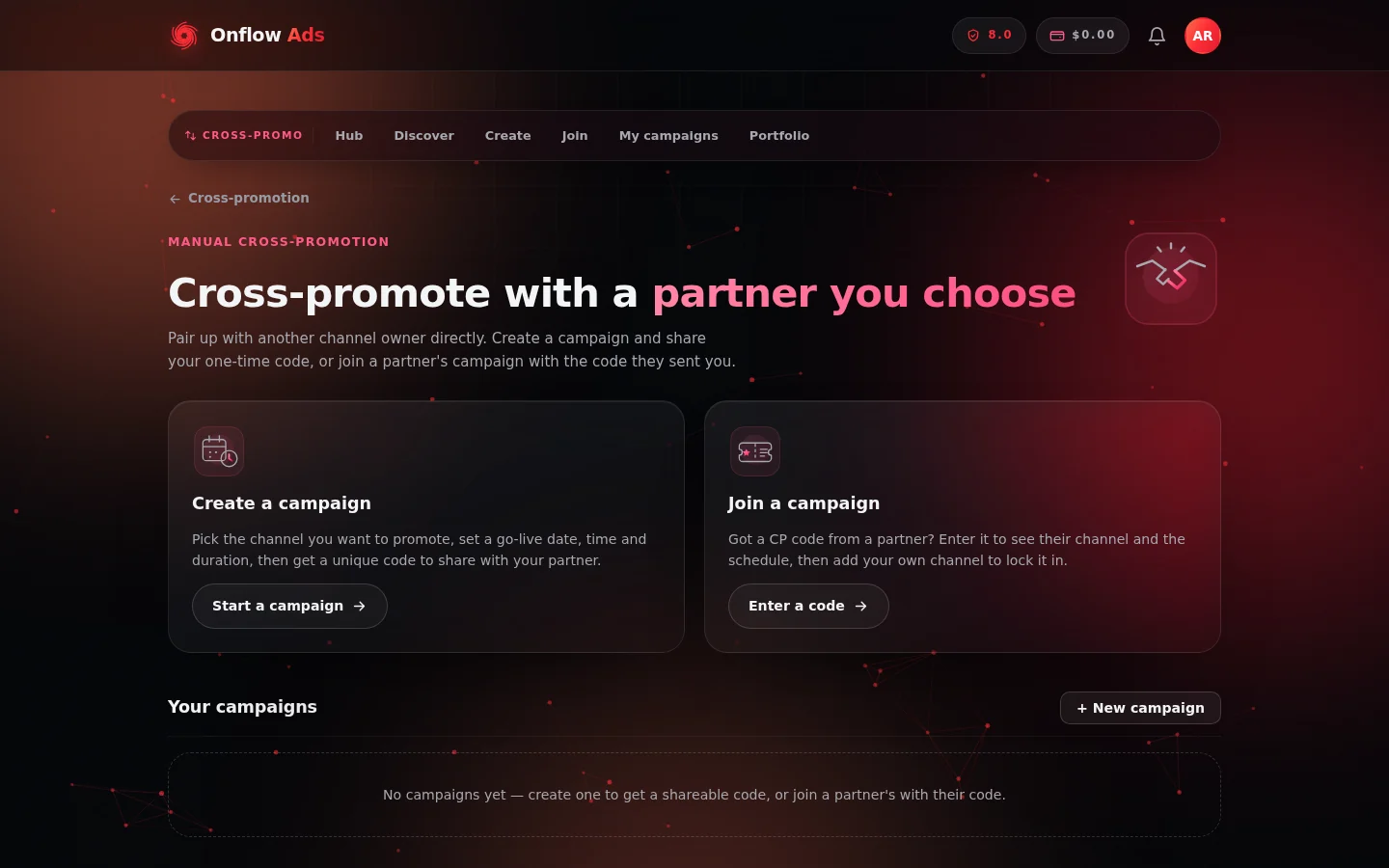
The manual page is the fork in the road: mint a code on the left, redeem a partner's code on the right. Your campaigns collect underneath.
What's on the page
Two big choice cards and your campaign list:
| Card | What it says | Where it goes |
|---|---|---|
| Create a campaign | "Pick the channel you want to promote, set a go-live date, time and duration, then get a unique code to share with your partner." — Start a campaign | The create wizard |
| Join a campaign | "Got a CP code from a partner? Enter it to see their channel and the schedule, then add your own channel to lock it in." — Enter a code | The join page |
Below them, a Your campaigns section lists every website campaign you're part of, with a + New campaign shortcut.
How a CP code works
- Format:
CP-followed by two groups of four characters, e.g.CP-7K4M-Q2XP. Codes never contain easily-confused characters (no 0/O, 1/I/L), and entry on the join page is forgiving — capitalisation, spaces and dashes don't matter. - One-time: exactly one partner can join with a code. Once joined, entering the same code takes each participant to their campaign page instead.
- Expiry: if nobody joins within 24 hours of creation, the code expires automatically and you're emailed. Blitz campaigns are the exception — they stay open while collecting partners until launched or cancelled.
- Private by default: only someone you give the code to can join. You can optionally list the campaign on the open-campaigns board so well-matched strangers can find it too — see Discovering partners.
- Surface-bound: a code minted on the website is joined on the website; a code minted in the Telegram bot is joined in the bot. Entering a bot code on the website returns "No campaign found for that code."
The Your campaigns list
Each row in Your campaigns shows:
- the campaign's code (e.g.
CP-7K4M-Q2XP); - the pairing — "with @partnerhandle", or "No partner yet" while the code is unclaimed;
- the agreed go-live in your local time, once set;
- a status pill: Awaiting partner, In progress, Changes proposed, Confirmed, Expired or Cancelled (see Campaign lifecycle for what each means).
Click any row to open that campaign's manage page at /telegram/dashboard/cross-promotion/campaign/YOUR-CODE.
If you haven't run anything yet, the list shows: "No campaigns yet — create one to get a shareable code, or join a partner's with their code."
This list shows campaigns created or joined on the website. For the combined history including campaigns run in the Telegram bot, use the My Cross-Promotions page — see Campaign lifecycle.
Manual codes vs. directory requests
Both routes end in exactly the same campaign — same schedule agreement, same post builder, same automatic delivery, same results. The only difference is how you pair up:
- Manual (code): you find the partner yourself and hand them the code. Nothing about the partner is pre-vetted for you — check their channel yourself, and look at the trust signals shown on the join page before committing.
- Directory (request): Onflow Ads shows you opted-in partners ranked by fit, with trust signals up front, and pairing happens on accept. See Partnership requests.
FAQ
Can I have several open codes at once?
Yes — each create mints its own campaign and code, and each counts toward your monthly initiation allowance once it finds (and keeps) a partner. All of them appear in Your campaigns.
I shared my code but my partner can't join
Walk through the checks in Joining a campaign: the code may have expired (24 hours), already been used, been minted in the bot rather than the website — or your partner may be in a temporary join cooldown.
Can I re-use a code after the campaign finishes?
No. Codes are one-time and stay attached to their campaign forever — the code doubles as the campaign's permanent address (/campaign/YOUR-CODE), including for its results. Start a new campaign to get a new code, or set up a recurring promo so new rounds are created for you automatically.
Next: Creating a campaign — the four-step wizard that mints your code.