Media Plan Builder
The media plan builder turns a budget into a proposed basket of channels — with a projected reach, a blended CPM, and a stated reason for every pick. It lives on the Media plan page at https://onflowads.com/telegram/dashboard/paid-promotion/plan (the Media plan pill in the navigation bar).
Use it when you know how much you want to spend but not where. If you already know your channels, build your own cart; if you want a pre-vetted set at a discount, book a curated bundle.
The builder is included from the Plus plan up. On lower plans the page shows what the builder does and which plan unlocks it, with a "See plans" link. (Curated bundles on the same page are open to everyone.)
Building a plan
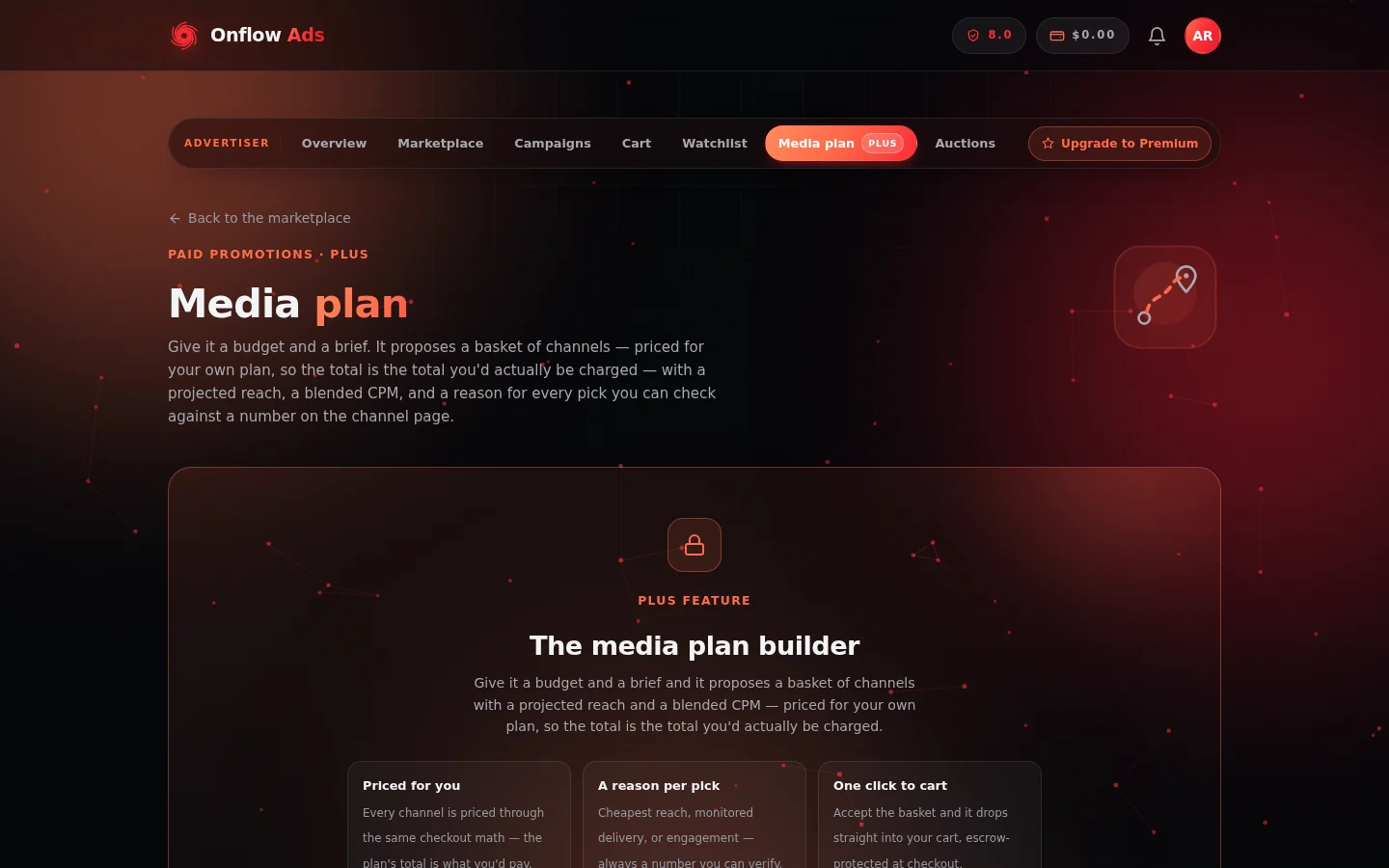
The Media plan page. The builder's brief form sits here on eligible plans; on lower plans the page explains what it does and which plan unlocks it.
- Enter your Budget (USD).
- Optionally narrow the brief:
- a Category chip;
- a Format chip — defaults to the "1 hour top · 24 hours in feed" format;
- a Max CPM ceiling;
- a Min subscribers floor.
- Click "Build my plan".
The builder searches the live catalog (it tells you how many candidate channels it considered) and proposes a basket.
What comes back
- Summary tiles — Channels, Spend, Projected reach, Blended CPM, and Unspent budget.
- Budget allocation — a per-channel spend chart, "as this basket would be charged at checkout".
- Channel cards — each pick with its stats, its price, and a one-line reason.
- "Add all to cart" — the booking button (see below).
If nothing in the catalog fits, the builder says so plainly: "Nothing in the catalogue fits that brief yet. Try widening the category, the budget, or the CPM ceiling."
Prices are your real prices
Every pick is priced through the same code checkout charges by, for your own plan — so the plan's total is the total you'd actually pay, not a list-price estimate that grows at the till.
How picks are chosen
Each candidate is scored on four things, in descending weight: cost per view (relative to the cheapest reach actually available in your brief today), engagement (views as a share of subscribers), witnessed delivery (how the channel performed on placements our monitor actually measured), and the owner's reliability score. The best-scoring channels that fit the remaining budget are added until the budget or the channel cap runs out.
Two properties are deliberate:
- Raising the budget only ever adds channels — it never reshuffles the ones already chosen. You can nudge the number up without losing picks you liked.
- Every pick carries a reason you can check against a number on the channel's page — for example "Cheapest reach in this brief", "Delivered 104% of promised reach on monitored placements", "34% of subscribers see a post", or "Owner reliability 9.2/10". "Our model liked it" is not a reason you can act on or argue with, so the builder never gives it.
The projection is labelled, not oversold
Projected reach is the average views each owner advertises, not a measurement — the plan says so under the tiles, and tells you how many of the picked channels have a delivery history our monitor actually witnessed ("N of M of these channels have delivered placements we monitored"). Blended CPM is derived from projected reach, so it inherits exactly the same confidence.
Limits and gates
| Gate | Behaviour |
|---|---|
| Plan requirement | Builder unlocks on Plus and up |
| Channels per plan | Capped by your plan; the maximum is shown on the page |
| Monthly placement allowance | If the plan would exceed it, the page tells you exactly how many placements it needs, how many your plan covers, and how many you've used |
| Early-access listings | Channels in their "first look" window appear in plans only for buyers whose plan includes first look — the builder will never book you a channel you can't see in the catalog |
| Your own channels | Never picked — you can't buy ads from yourself |
Booking the plan
Click "Add all to cart" — the whole basket drops into your cart, where the ordinary checkout takes over: same escrow, same discounts (volume, promo codes, the cart's own bundle offer on 2+ channels), same protections.
Saved plans
Every build is kept under Saved plans on the same page. Each saved plan card shows its budget, projected reach, channel count, spend, CPM and the filters used, plus a "Booked" badge once its basket has been booked. Two actions:
- "Load into builder" — restores the plan's budget and filters and rebuilds it fresh. Prices are always re-quoted live, never frozen — a saved plan is a saved brief, not a saved price.
- "Add N to cart" — sends the saved basket straight to your cart.
FAQ
Why did the builder skip a channel I know is cheaper?
Cheapest isn't the only axis — a pick also has to fit the remaining budget after better-scoring channels, clear your Max CPM and Min subscribers filters, offer the chosen format, and be visible to your plan. Check the channel's page: if it's cheaper per view than everything picked, it likely failed one of the filters.
I rebuilt the same plan and got a different basket
Plans are rebuilt against the live catalog — prices, availability and listings change between builds. Loading a saved plan restores your brief, then rebuilds it fresh at today's prices.
The plan left budget unspent
The builder never partially books a channel — if the remaining budget can't cover the next best pick, it stays unspent and is shown in the Unspent budget tile. Raise the budget or loosen the filters to fill it.
Does building a plan cost anything?
No. Building and saving plans is free on eligible plans; you're only charged when you check the basket out through the cart.
Next: Curated bundles — the pre-packaged alternative, sitting on the same page and open to every plan.