Earning as a Channel Owner
The Paid Promotion marketplace lets you sell ad placements in your public Telegram channel. Advertisers browse the catalog, pick your channel, and book a slot from your rate card. Their money is held in escrow by Onflow Ads, you post the ad, our monitoring bot verifies it actually ran, and the payout lands in your wallet.
This section covers everything on the selling side, one page per task: setting up your seller profile, listing a channel, pricing it, controlling when it can be booked, answering booking requests, posting the ad, proving delivery, getting paid, and keeping your standing healthy.
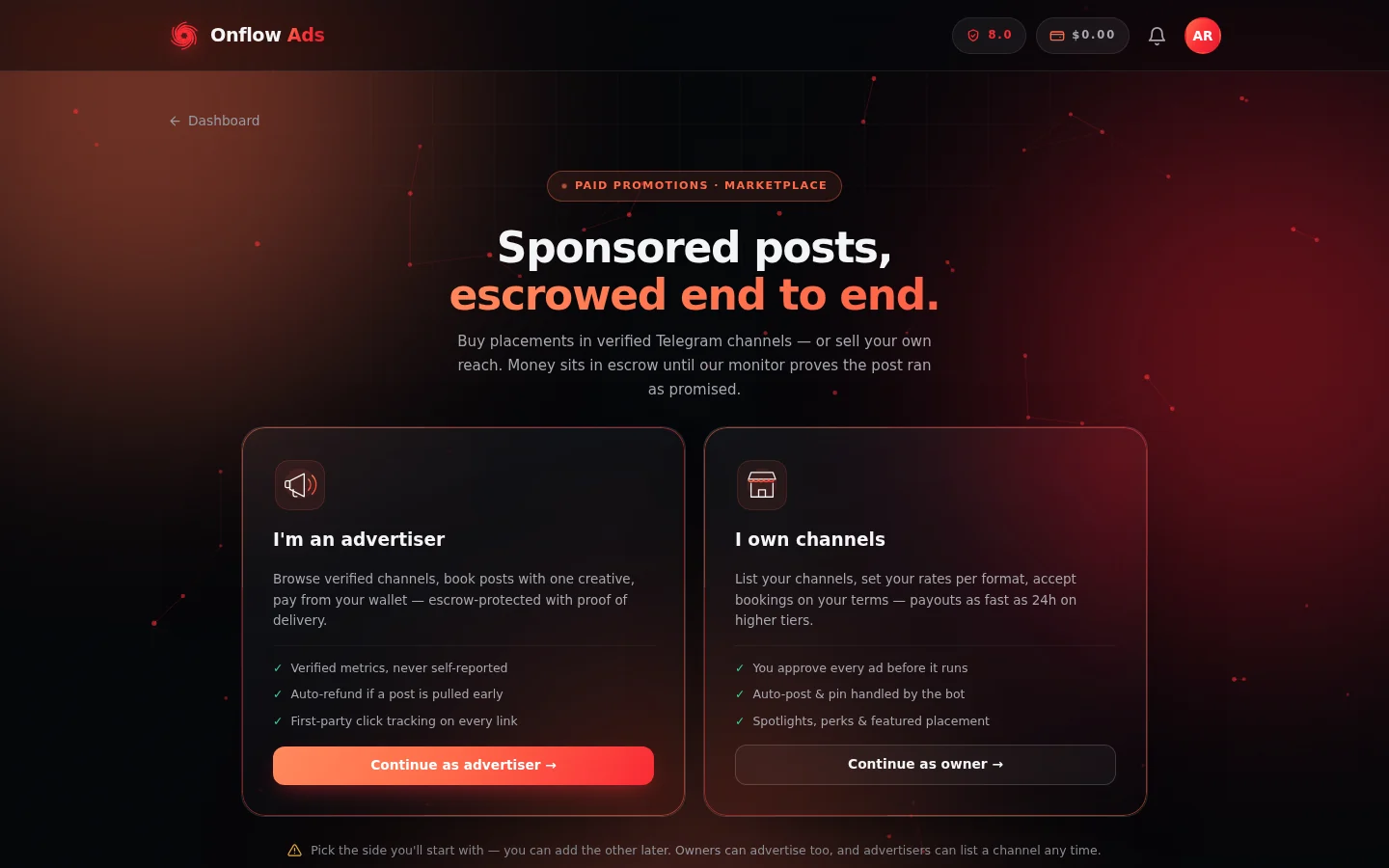
Paid Promotions opens on this choice. Everything in this section lives behind the "I own channels" card on the right — and the note underneath is true: picking one side never closes the other.
Who it is for
You can sell placements if:
- You own or manage a public Telegram channel. Private channels, groups, and invite-only links cannot be listed.
- The channel has at least 1,000 subscribers (if your channel falls short, the exact current minimum and your channel's real count are shown when you try to add it).
- You can add @OnflowAdsBot as an admin of the channel with the Post Messages right, so Onflow Ads can verify its reach and monitor delivered posts.
- Your account has the Channel Owner role. If you signed up as an advertiser, you can add the owner role at any time without losing anything — the roles are additive.
Where everything lives
All owner tools sit inside your dashboard. Once you have the owner role, a subnav bar appears at the top of every Paid Promotions page with the pills My channels, Bookings and Add channel, then a separator and the advertiser pills (Marketplace, Campaigns, Cart, Watchlist, Auctions) — because an owner can buy placements too.
| Page | Address | What you do there |
|---|---|---|
| Owner desk ("My channels") | /telegram/dashboard/paid-promotion | See your listed channels, how many are live, your wallet balance and your reliability at a glance |
| List a channel ("Add channel") | /telegram/dashboard/paid-promotion/new | The four-step wizard that creates or edits a listing |
| Bookings queue | /telegram/dashboard/paid-promotion/bookings | Accept, counter or decline requests; mark ads posted; claim payouts; verify your identity; find your referral code |
| Listing manager | /telegram/dashboard/paid-promotion/listing/ plus your listing's id | Rate card, performance and analytics, spotlights, sponsorship, lead time, auto-accept, dynamic pricing, blackout dates, reviews |
| Activity feed | /telegram/dashboard/paid-promotion/activity | Booking requests, payouts, feedback and disputes as they happen |
| Wallet | /telegram/dashboard/wallet | Your balance, transaction history and withdrawals |
| Auctions | /telegram/dashboard/paid-promotion/auctions | Host an auction on one of your slots, and watch it run |
The listing manager is the per-channel control room, and it has its own address. The quickest way in is the Manage channel button on the Telegram message Onflow Ads sends you when a listing is verified. The Manage listing button on your owner desk opens something different — the pricing and rules editor. See Prices and offers for both routes.
You can also answer bookings directly from Telegram: when your Telegram account is linked, every new request arrives as a bot message with Accept, Decline and Snooze buttons — the same actions, the same escrow, no need to open the website.
The life of a booking
- An advertiser books a slot. Their payment is debited immediately and held in escrow. You see the request in your bookings queue and in a Telegram message.
- You answer within 24 hours. Accept it, propose a different price (a counter-offer), or decline it with a reason. A request nobody answers auto-declines after 24 hours, refunds the advertiser in full, and costs you 0.30 reliability points.
- You post the ad. Either the bot publishes and pins it for you at the scheduled time (auto-post), or you post it yourself inside the agreed window.
- Delivery is proven. On a manual delivery you paste the public link to the live post and press Mark posted; on auto-post that happens for you. The monitoring bot then checks repeatedly that the post exists and stays pinned for its promised hours, and samples its real view counts.
- The money releases. The advertiser gets a short window to review the live post. After that, escrow releases on your plan's payout schedule — or immediately if the advertiser confirms the post. The payout, minus the platform commission, lands in your wallet.
- You withdraw. Wallet funds earned from placements are withdrawable from the wallet page.
What Onflow Ads takes
Onflow Ads charges a commission on each booking. The rate depends on your subscription plan and is always shown up front — on your listing manager's rate card ("Buyers are quoted your price plus Onflow Ads's fee") and on every booking card ("you receive $X after N% fee"). The payout amount you see on a request is exactly what you will be paid; it is fixed when the booking is priced, and only changes if you yourself counter at a different price.
A consistently low reliability score can add a small surcharge to your effective commission, and it is applied to your side of the booking only. At the default score of 8.0 the surcharge is exactly zero. The rate actually applied to each booking is always shown on its card, so a fee that differs from your plan's headline rate is never silent. See Delivery monitoring and your reliability.
In this section
The pages below run in reading order: set yourself up and list a channel, then handle bookings, post the ad and get paid, then the trust, dispute and growth tools around it.
Becoming a Channel Owner
Set up your seller profile — choose the Channel Owner role, connect your Telegram account, and find your way around the owner desk.
Listing Your Channel
Step-by-step guide to listing a Telegram channel in the Paid Promotion marketplace — the four-step wizard, verification, what each error means, editing, and removing.
Prices and Offers
Build and tune your rate card — the placement formats, suggested pricing, dynamic pricing, buyer perks, spotlight deals, and the audience details buyers read.
Managing Your Availability
Control when your channel can be booked — booking lead time, blackout dates, daily capacity, and auto-accept rules — without unlisting or re-verifying.
Receiving, Accepting, and Declining Bookings
Work your bookings queue — the 24-hour answer clock, the good-faith deposit, countering, declining, bulk actions, and answering straight from Telegram.
Posting the Ad
Get an accepted booking live on time — the posting window, auto-post, posting by hand, what you must keep true while the ad runs, and what happens if the window lapses.
Submitting Proof of Delivery
Turn a live post into a proven delivery — the link Onflow Ads accepts, pressing Mark posted, the five clocks it starts, the signed proof archive, and how to fix a mistake.
Escrow and Getting Paid
The whole money path for sellers — when escrow releases, how to claim early, retention holds, what blocks a payout, and how to withdraw.
Identity Verification (KYC)
Verification scales with your lifetime payouts — the three thresholds, what each level asks for, and how to clear them before a payout is ever held.
Delivery Monitoring and Your Reliability
What the monitoring bot checks on a delivered ad, exactly what triggers a flag and what one costs, and how your reliability score moves.
The View Guarantee
What guaranteed-views placements mean for you as a channel owner — you are always paid in full, the make-good is funded by Onflow Ads, and nothing extra is asked of you.
Disputes — the Seller's Side
What happens when an advertiser raises a fraud concern on your placement — the holds, the evidence Onflow Ads uses, the timeline, both outcomes, and how to protect yourself.
Promoting Your Listing
Get seen by more buyers — featured placement, category sponsorship, priority review, the Standing score that drives ranking, and your analytics panels.
Running Auctions on Your Slots
Auction a prime slot on your own listing instead of selling it at a fixed price — reserve and duration setup, escrow-backed bids, anti-sniping, and how a winning bid becomes a normal booking.
Refer and Earn
Share your referral code and earn a share of Onflow Ads's platform fee on every booking the people you refer complete — at no cost to them or to you.
FAQ and Troubleshooting
The channel-owner section indexed by symptom — the error message or surprise you hit, and the one-paragraph answer with a link to the full page.
Next: Becoming a channel owner — add the seller role to your account and find your way around the owner desk.