Subscriber Exchange
The Subscriber Exchange is a free, reciprocal ad exchange for Telegram channel owners. You agree to host other members' ads in your channel, and in return you can run your own ad across everyone else's. No money changes hands for placements — the exchange runs on reciprocity, not payment.
You will find it in your dashboard at https://onflowads.com/telegram/dashboard/subscriber-exchange. On an account that has not been paired with Telegram yet, the page opens on a single card asking you to connect:
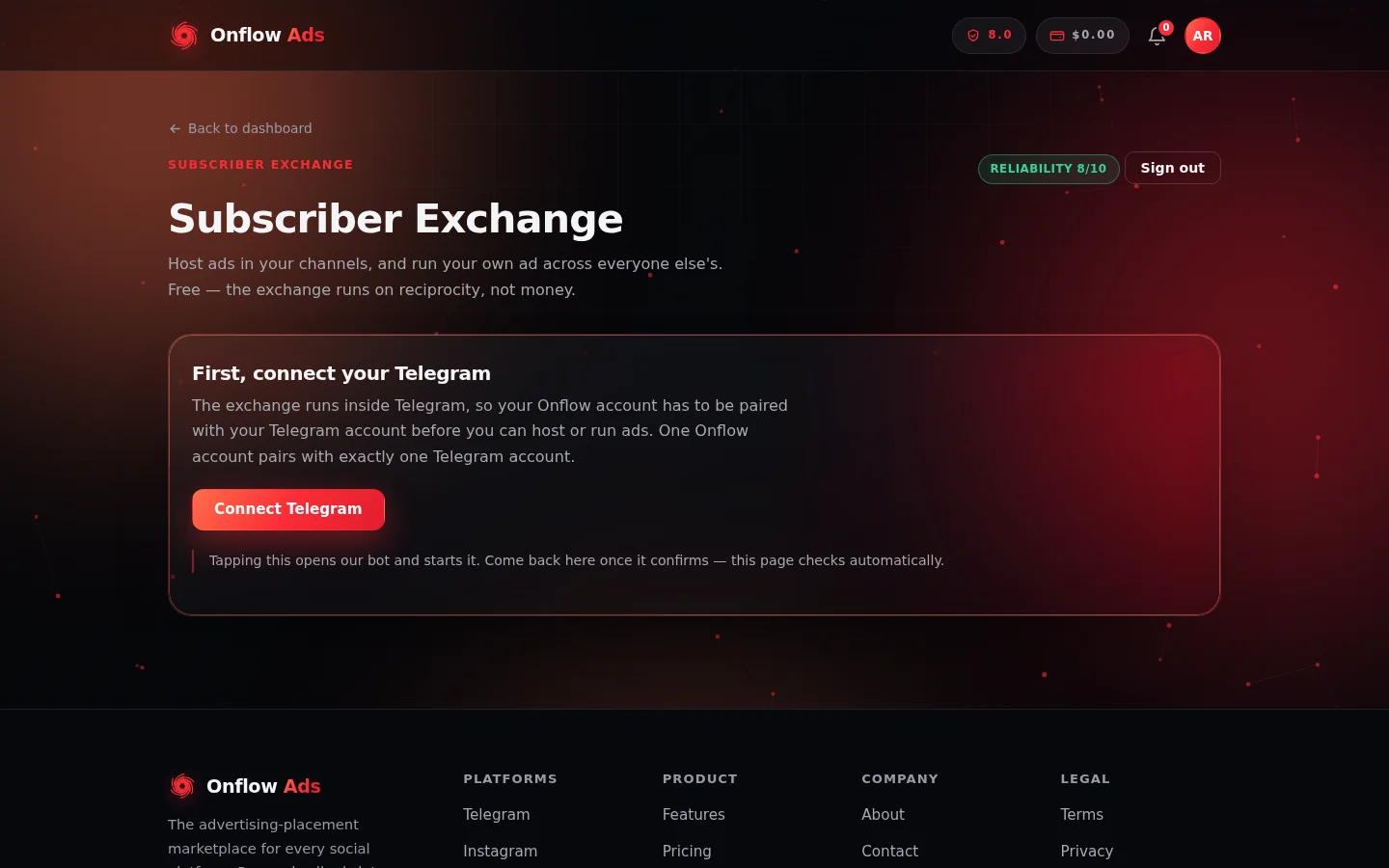
The Subscriber Exchange page before Telegram is connected. Everything else on the page unlocks once the pairing lands — and the reliability pill in the top right stays visible from then on.
Who it is for
- Channel owners who want to grow. You have a public Telegram channel and want new subscribers without paying for promotion.
- Creators with an audience to trade. Your channel has real readers, and you are willing to show them the occasional relevant ad in exchange for reaching other audiences.
If you would rather pay cash for guaranteed placements instead of trading hosting for reach, that is what Paid Promotions is for. The Subscriber Exchange is the free, mutual alternative.
How it works
- Connect your Telegram account to your Onflow Ads account.
- Enrol a channel — add our bot as an administrator and choose the highest content level you are willing to host.
- Host ads. The bot posts a member's ad in your channel, leaves it up for a full 24 hours, then removes it automatically. You earn SubX credits for every placement that runs its full term.
- Run your own ad. Build an ad in the dashboard, submit it for human review, and once approved it spreads across other members' channels — spread out over a 30-day cycle, never in a burst.
The exchange is strictly host first: you cannot run an ad until at least one of your channels is enrolled and hosting.
The core promises
| Promise | What it means |
|---|---|
| Every placement stays up 24 hours | An ad posted in your channel comes down after exactly one day — the bot removes it itself. The same guarantee protects your ad in other channels. |
| Spread out, never bursted | A campaign's placements are spaced evenly across the 30-day cycle. On the Free plan an ad reaches 7 channels per cycle; paid plans include more. |
| You control what you host | You pick a content level ceiling, can require per-ad approval before anything posts, and can refuse any specific ad penalty-free. |
| Both sides stay anonymous | Advertisers see totals — placements, views, clicks — never which channels ran their ad. Hosts never learn who wrote an ad they carried. The only exception is a Swap, a disclosed 1:1 trade you opt into. |
| Money never buys placements | Paid plans and one-off boosts buy capacity, targeting precision, priority and speed — never a bypass of any host's limits or the exchange's rules. |
| Matched for relevance and fairness | The matcher pairs ads with channels of a similar audience size and a related topic, so a 500-subscriber channel is never asked to carry a 200,000-subscriber channel's ad. |
What you can do from the exchange page
- My channels — enrol channels, see hosting activity, toggle per-ad review, refuse individual ads, or withdraw a channel.
- My advertisements — build and submit ads, watch placements, views and clicks land, run the Why? diagnostic, cancel, or appeal a decline.
- Swaps — set up a direct, disclosed 1:1 promotion with one partner channel instead of broadcasting to the pool.
- Delivery boosts — optionally pay a small one-off fee from your wallet for extra placements and priority on a single campaign.
- Developer API — on Elite plans and above, read your exchange state programmatically.
In this section
The pages below run in reading order: set up, then host, then advertise, then the credit and paid rails, then the rules.
Getting Started
Connect your Telegram account, enrol your first channel and choose what it will host — the complete setup flow, with every error message explained.
Hosting Ads
What happens in your channel when it carries an ad, the protections that bind every placement, and how to read, adjust or withdraw a hosting channel.
Reviewing Ads Before They Post
Switch on per-ad approval for a channel, then approve or decline each matched ad from your review queue before anything reaches your subscribers.
Refusing an Ad
Remove an unwanted ad from your channel penalty-free and block it permanently — the safe alternative to deleting the post yourself.
Running Ads
Build, submit, track, diagnose, cancel and appeal your own ad across the Subscriber Exchange, step by step.
Swaps
Run a direct, disclosed 1:1 cross-promotion with one partner channel instead of broadcasting to the pool — setup, matching, what happens when it runs, and what protects you.
Credits and Delivery Boosts
The two ways to give one campaign more than your plan's included cadence — earned SubX credits and one-off paid delivery boosts — and where to read about each.
How Credits Work
What SubX credits are, how they are minted and spent, how the ledger keeps your balance honest, and what credits can and cannot buy.
Earning Credits by Hosting
The step-by-step flow for earning SubX credits — what pays, what does not, the rate for each plan, the limits on how fast you can earn, and the referral bonus.
Spending Credits on Extra Placements
Turn earned SubX credits into extra placements on your own broadcast campaign — the price, your plan's cap, the hard ceiling, and when credits come back.
Delivery Boosts
The optional one-off paid upgrade for a single exchange campaign — extra placements, dispatch priority and Priority Review, what each costs, and when you get your money back.
The Delivery Floor
The Ultimate plan's automatic make-good — how the 80% delivery floor is measured, how the shortfall is priced, and how the credit reaches you.
Plans, Tiers and Limits
What each subscription tier changes in the exchange — capacity, targeting, credit rate and grace — and the limits that bind every member whatever they pay.
Developer API
Read your Subscriber Exchange state programmatically on Elite plans and above — creating keys, the available actions, limits and what the API deliberately will not do.
Rules and Fair Play
Every rule a Subscriber Exchange member must follow — the 24-hour promise, honest classification, the link policy, anonymity — and exactly what happens when one is broken.
FAQ & Troubleshooting
Quick answers to common Subscriber Exchange questions and problems, with pointers to the page that covers each flow in full.
Next: Getting started — connecting Telegram and enrolling your first channel takes you from nothing to hosting, which is what opens the advertising side.