Signing In with Telegram
You can sign in to the Onflow Ads website using your Telegram account instead of an email and password. The website shows you a 6-digit code, you type that code into the bot chat, and your browser signs itself in.
The whole thing takes under a minute, and it is the fastest way in if you already live in Telegram.
This is the sign-in handshake. Two devices — your browser and your Telegram app — prove they are held by the same person by passing a short code between them. It is a sign-in method, not a way to attach Telegram to an account you already have. For that, see Connecting Your Telegram.
When to use it
| Situation | Use this flow? |
|---|---|
| You have never used Onflow Ads and want the quickest start | Yes — it creates your account as it signs you in. |
| You already sign in with Telegram and just want back in | Yes. |
| You have an email-and-password account and want Telegram alerts on it | No — use Connect Telegram on the Account page instead. |
| You forgot your password and your Telegram is already linked | Yes — this signs you straight into that account. |
Step by step
Everything starts on the Onflow Ads sign-in page. The email and password fields are the ordinary way in; the handshake begins with the Continue with Telegram button underneath them.
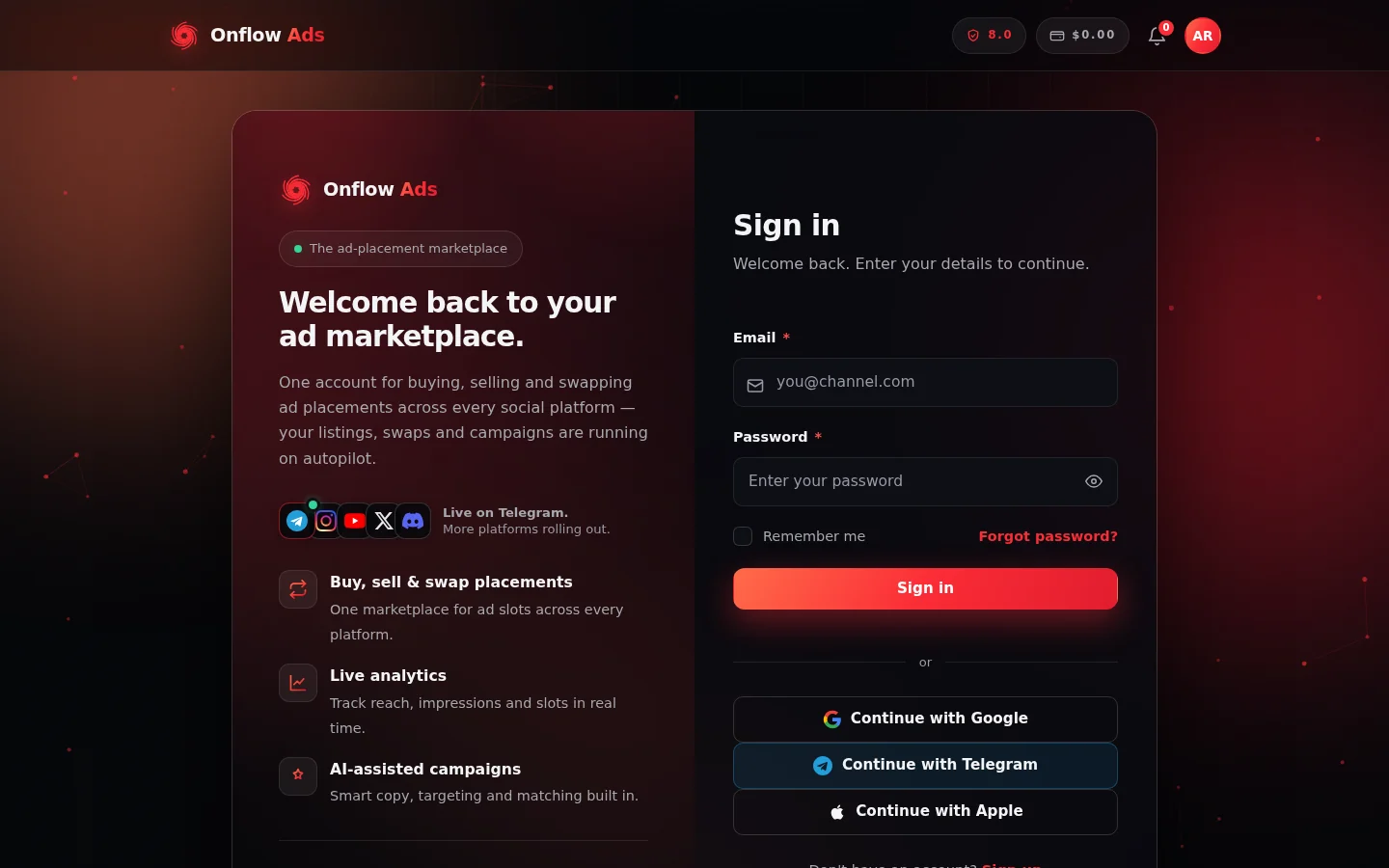
The sign-in page. Continue with Telegram sits with the other one-tap options below the password form — that button is where the 6-digit handshake begins.
- Go to onflowads.com/signin (the same button also appears on onflowads.com/signup).
- Click Continue with Telegram.
- A dialog titled Sign in with Telegram opens over the page. It contains:
- the instruction "Open our bot, then type this code into the chat when it asks",
- a large 6-digit code,
- an Open the Telegram bot button,
- the live status line Waiting for you in Telegram…,
- a Cancel button.
- Click Open the Telegram bot. Telegram opens a chat with the Onflow Ads bot and it replies Website sign-in, asking you to type the 6-digit code shown in your browser. The same message repeats the safety rule: only enter a code you can see on onflowads.com in your own browser.
- Type the code into the chat as six plain digits, for example
123456. Nothing else — no spaces, no words around it. - The bot replies Verified! — "You are signed in on the website — your browser tab updates by itself."
- Back in the browser, the dialog closes by itself within a couple of seconds and you land on your dashboard.
If you started on your phone and the browser tab is not to hand, the bot's confirmation carries a Continue on the website button that opens your dashboard directly.
The 6-digit code appears only in your own browser, on onflowads.com. The bot never sends you a code — you type a code into the bot.
If anybody messages you a code and asks you to enter it into the Onflow Ads bot, they are trying to sign in to an account as you. Refuse, and do not reply.
Why the code exists
The deep link alone is not enough to sign in, and the code alone is not enough either. An attacker would need your browser (to read the code) and your Telegram account (to consume the link) at the same moment. That is the whole point of the handshake, and it is why the code is never put in a URL and never sent to you.
The browser that started the handshake is also the only browser that can finish it. If a sign-in link somehow leaked to another device, that device could not turn it into a session.
Limits and timing
| Rule | Value |
|---|---|
| Time to complete the handshake | 10 minutes from the moment you click Continue with Telegram |
| Wrong-code attempts | 5 — after that the request is locked and you must start again |
| Reuse | None. Each request is single-use; one handshake produces at most one sign-in |
| Sessions created | Exactly one, even if you have the sign-in page open in two tabs |
If you leave the dialog open past the 10-minute window, it closes itself and you simply click Continue with Telegram again.
Requesting a great many sign-ins in a short burst may be temporarily throttled. Waiting a minute clears it.
What can go wrong
| Message you see | Where | What it means | What to do |
|---|---|---|---|
| Wrong code — "That code does not match. N attempt(s) left" | Bot | You mistyped the code. | Re-read the code in the browser dialog and send it again. |
| "Please send just the 6-digit code shown in your browser (for example 123456)." | Bot | You sent something that is not six digits. | Send the six digits on their own. |
| Too many wrong codes | Bot | Five wrong attempts — this request is locked for good. | Return to the website and click Continue with Telegram for a fresh request. |
| Link expired | Bot | The request timed out or was already used. | Start again from the website. |
| Sign-in unavailable / Something went wrong | Bot | A temporary problem reaching the service. | Wait a moment and start again from the website. |
| "Too many wrong codes — please start again." | Browser | The same lock, seen from the browser side. | Click Continue with Telegram again. |
| "That sign-in request expired — please try again." | Browser | The same expiry, seen from the browser side. | Click Continue with Telegram again. |
| "Telegram sign-in isn't available right now." | Browser | The service could not mint a request. | Try again shortly, or sign in with your email and password. |
| "Network error — please try again." | Browser | Your connection dropped mid-request. | Check your connection and retry. |
You can abandon the flow at any point with Cancel in the browser dialog. Nothing is created and nothing is charged.
What happens after you sign in
- You get a normal website session — exactly the same kind, and the same length, as signing in with a password or with Google. It works across the whole site, including the Mini App.
- If your Telegram was already linked to an account, you are signed in to that account, with all its channels, wallet balance, orders and history.
- If this Telegram had never been used with Onflow Ads, a fresh account is created for it on the spot. It starts with a placeholder email address that has no real inbox behind it, which is why adding your own email is recommended.
Adding a real email afterwards
Open onflowads.com/account and set your email address from your profile. You will confirm it with a verification code. Doing this gets you:
- a second way in, so you are not dependent on Telegram,
- email notifications and receipts,
- password sign-in.
Signing in with Telegram only ever signs you in to the account your Telegram already points at, or creates one if there is none. It never absorbs, changes or merges an account you are already signed in to.
Attaching your Telegram to an existing email-and-password account is a different flow: Connecting Your Telegram.
Edge cases
Two browser tabs. If a second tab of the same browser is also polling the same request, only one session is ever minted. The other tab notices and follows you to the dashboard.
A different browser or device. A handshake started in one browser cannot be finished in another. Start a fresh one wherever you actually want to be signed in.
You closed the browser mid-flow. Nothing is left behind. Reopen the sign-in page and click Continue with Telegram again.
Two-factor authentication. Telegram sign-in signs you in through your Telegram identity. If you also protect the account with a password, that password still works independently; neither method disables the other.
Do not see the button?
Continue with Telegram only appears when Telegram sign-in is available on the site. If it is missing, sign in with your email and password (or Google or Apple where shown) — every other route works exactly the same and lands you on the same account.
Short FAQ
Does the bot ever ask for my password?
No. Never. The bot asks for exactly one thing, once: the 6-digit code displayed in your own browser.
I signed in with Telegram but I want a password too.
Add an email from onflowads.com/account; a password comes with it. Both methods then work.
Can I sign in with Telegram from inside the Mini App?
You do not have to. Inside Telegram the Mini App signs you in automatically from your Telegram identity — no code, no password. See Using the Mini App.
I have two accounts by mistake — one from Telegram, one from the website.
Sign in to your website account in your browser, then open the Mini App from the bot. The Telegram-only account is folded into your website account, combining balances and history. Details in Connecting Your Telegram.
Next: now that you are signed in, Using the Mini App shows how Onflow Ads behaves when you open it inside Telegram.